

Overview
Property rentals help landlords and small property operators keep rental context connected to the property record. Use them when you want to track who stayed there, when the rental happened, what money was collected, what tasks followed, and which files belong with that rental period.
This is useful for long-term rentals, short-term rentals, seasonal rentals, and small portfolios where each property needs a clear operating record.
Start by choosing a rental usage type
When you add or edit a property, choose a rental-oriented usage type such as Short-term rental or Long-term rental. That usage type adds the Rental section to the property page.
From there, you can track rental periods, deposits, files, tasks, revenue, and maintenance costs for that property. Once rental records exist, they also feed rental reporting and Copilot questions.
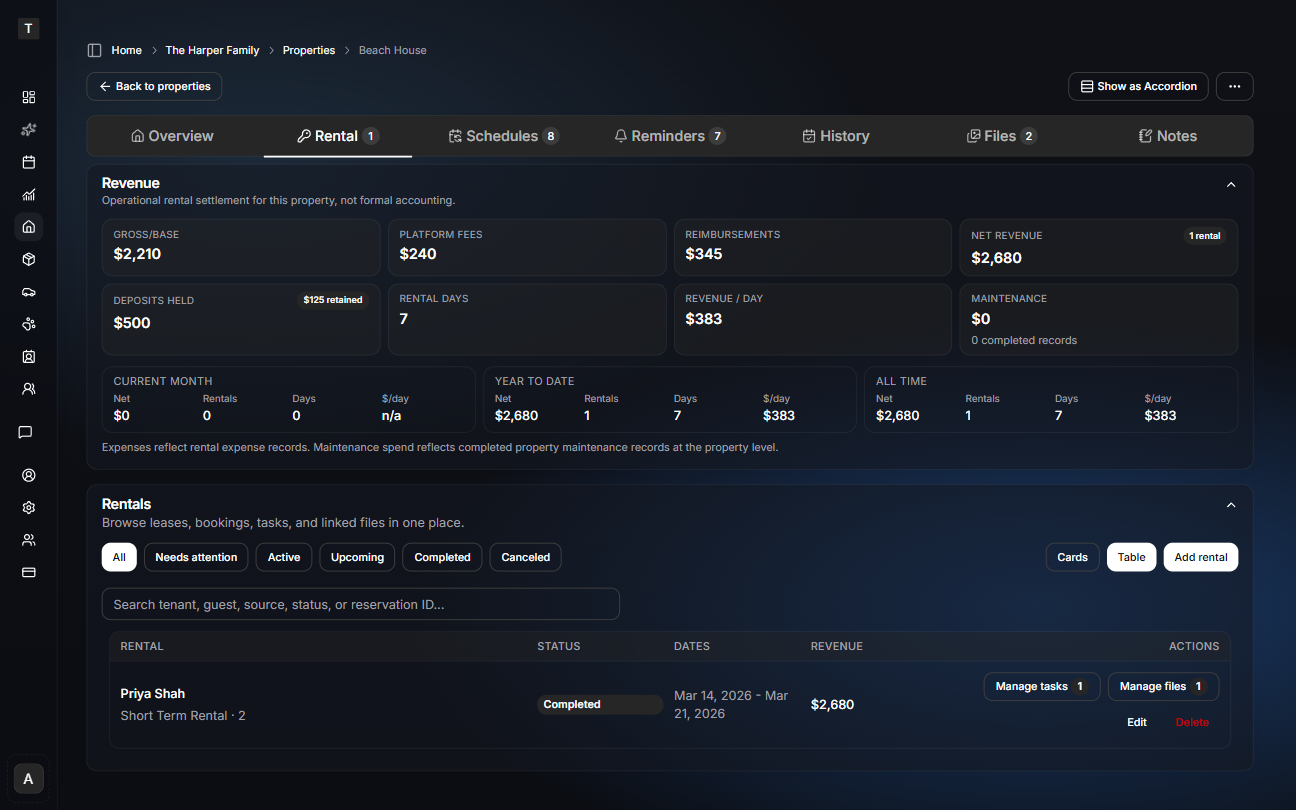
When to create a rental record
Create a rental record when you need to track a specific rental period or tenancy. A rental record is different from general maintenance history because it keeps the rental context together:
- rental start and end dates
- rental status
- tenant, guest, or contact details
- rental revenue
- deposit held and deposit retained
- rental-related expenses
- files, photos, notes, and follow-up tasks
Use maintenance history for completed work, files for standalone documents, and notes for details you want to remember. Use rentals when the work, money, and documents belong to a specific rental period.
Add stays from forwarded booking emails
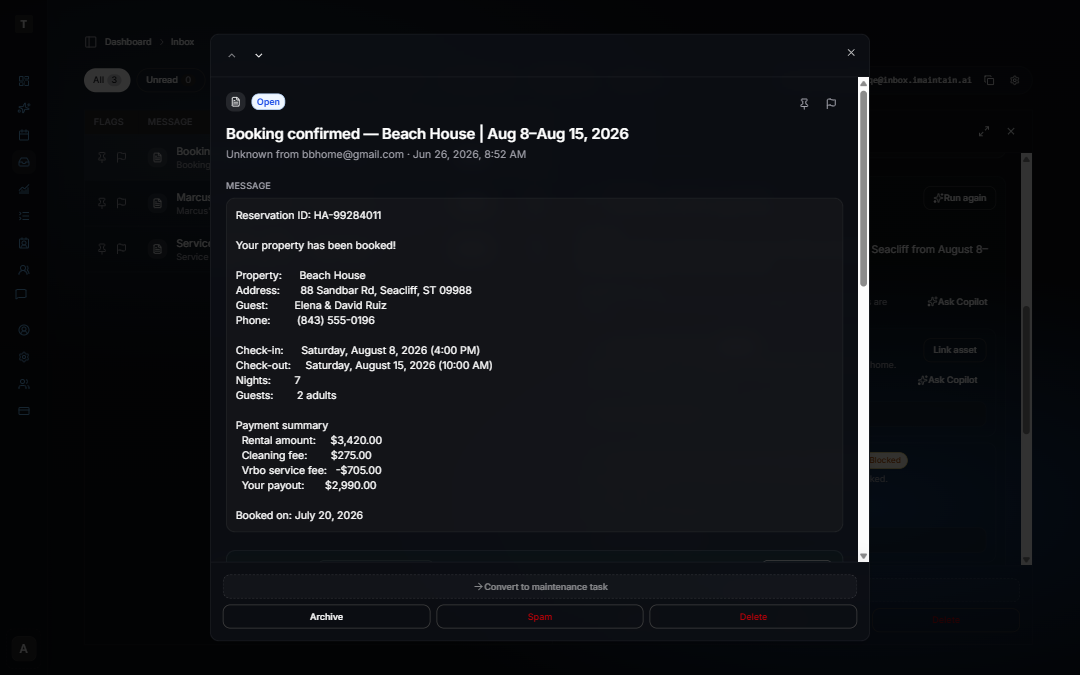
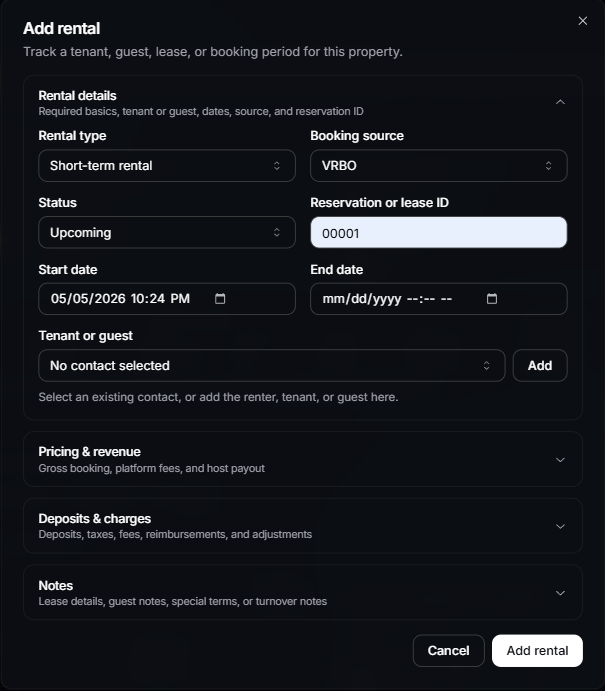
Forward a VRBO, Airbnb, direct booking, or property manager confirmation to your iMaintain Inbox, then click Run analysis. iMaintain suggests linking the property and reviewing a prefilled rental period with guest, dates, reservation ID, and payout already filled in. Re-forward an updated confirmation and iMaintain matches by reservation ID to update without duplicating the stay.
See How AI review and suggested plans work and Set up email forwarding.
What to track
Each rental can capture the operational details that are usually scattered across email, folders, spreadsheets, and messages:
- Dates and status: track when the rental starts, ends, and whether it is active, upcoming, completed, or canceled.
- Contacts: connect the rental to the tenant, guest, property manager, or other contact involved.
- Financial details: track rental revenue, deposits, retained deposits, fees, expenses, and net revenue.
- Tasks: create rental-linked tasks for turnover, cleaning, inspections, damage follow-up, repairs, and document collection.
- Files: attach leases, move-in photos, move-out photos, inspection reports, invoices, cleaning receipts, and deposit documentation.
Files and photos
Rental files are most useful when they stay tied to the rental period they belong to. Common examples include:
- signed leases or rental agreements
- move-in and move-out photos
- inspection reports
- cleaning invoices
- repair receipts
- deposit documentation
- damage photos
Files still belong to the broader property record, but linking them to a rental gives you better context later when you need to explain what happened.
Rental tasks
Rental tasks help you keep turnover and follow-up work from getting lost. Examples include:
- schedule cleaning after move-out
- inspect the property before the next rental
- upload move-out photos
- follow up with a vendor
- document retained deposit reasons
- complete a damage repair
Tasks linked to a rental make it easier to see what is still open for that specific rental period.
Rental reporting
The Property Rental Performance report helps compare rental properties across the account.
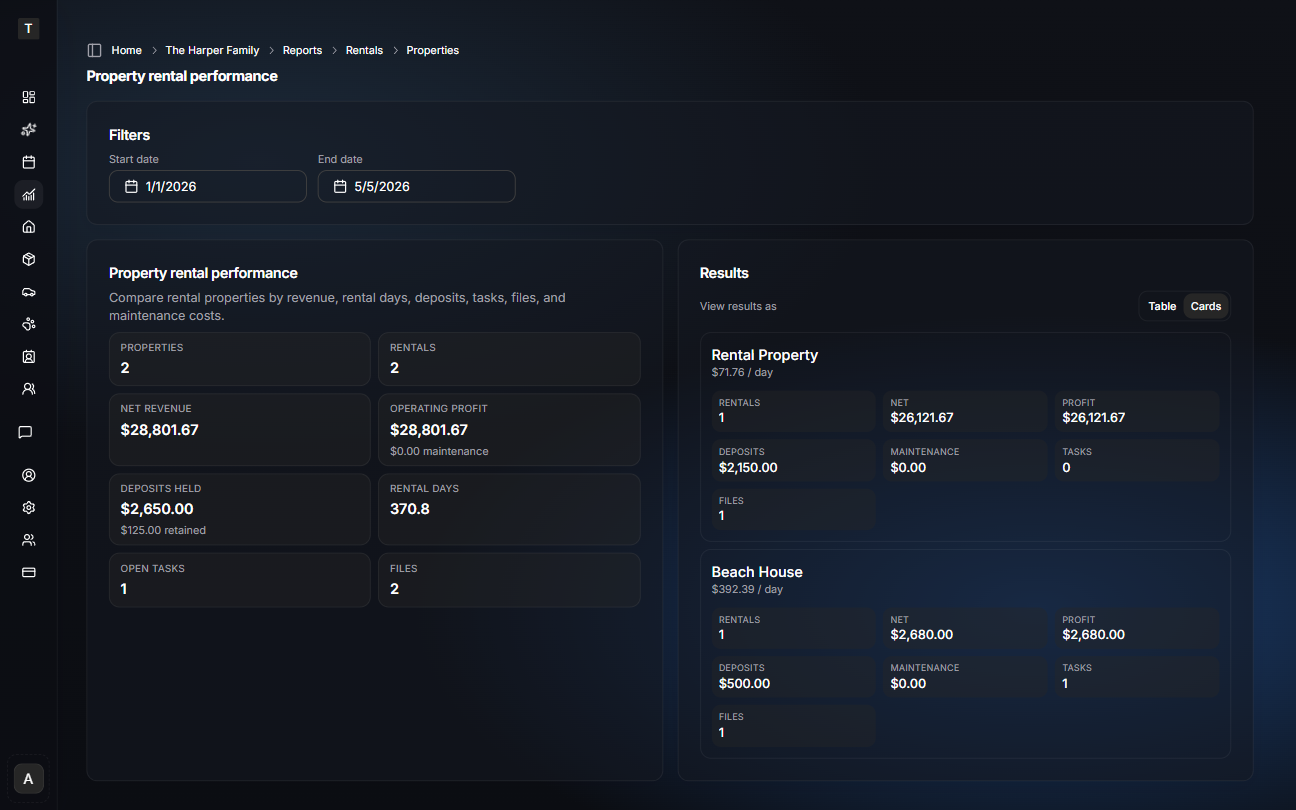
You can review:
- rental count
- gross revenue
- net revenue
- deposits held
- retained deposits
- maintenance costs
- operating profit
- rental days
- open rental-linked tasks
- attached files
Use the report when you want to understand which properties are performing well, which ones are creating more follow-up work, and where maintenance costs are affecting operating profit.
Copilot examples
Once rental records, files, tasks, and maintenance history are in iMaintain, Copilot can answer structured rental questions from your records.
Try asking:
- Which property had the strongest operating profit this quarter?
- Compare my properties by revenue and maintenance cost.
- Show me properties where deposits were retained.
See Copilot for properties for more rental reporting examples.
Copilot is best for structured rental reporting questions such as revenue, deposits, rental days, maintenance costs, task counts, and file counts. For deeper document-level questions, attach the relevant leases, photos, invoices, and reports so Copilot has more context to use.
What property rentals do not replace
iMaintain is not a rent collection platform, accounting system, lease signing tool, or full property management system.
Use iMaintain to keep the property operating record organized: rental periods, maintenance, files, photos, contacts, tasks, and long-term history. Your rent collection, payments, accounting, and legal workflows can stay in the tools you already use.