

Overview
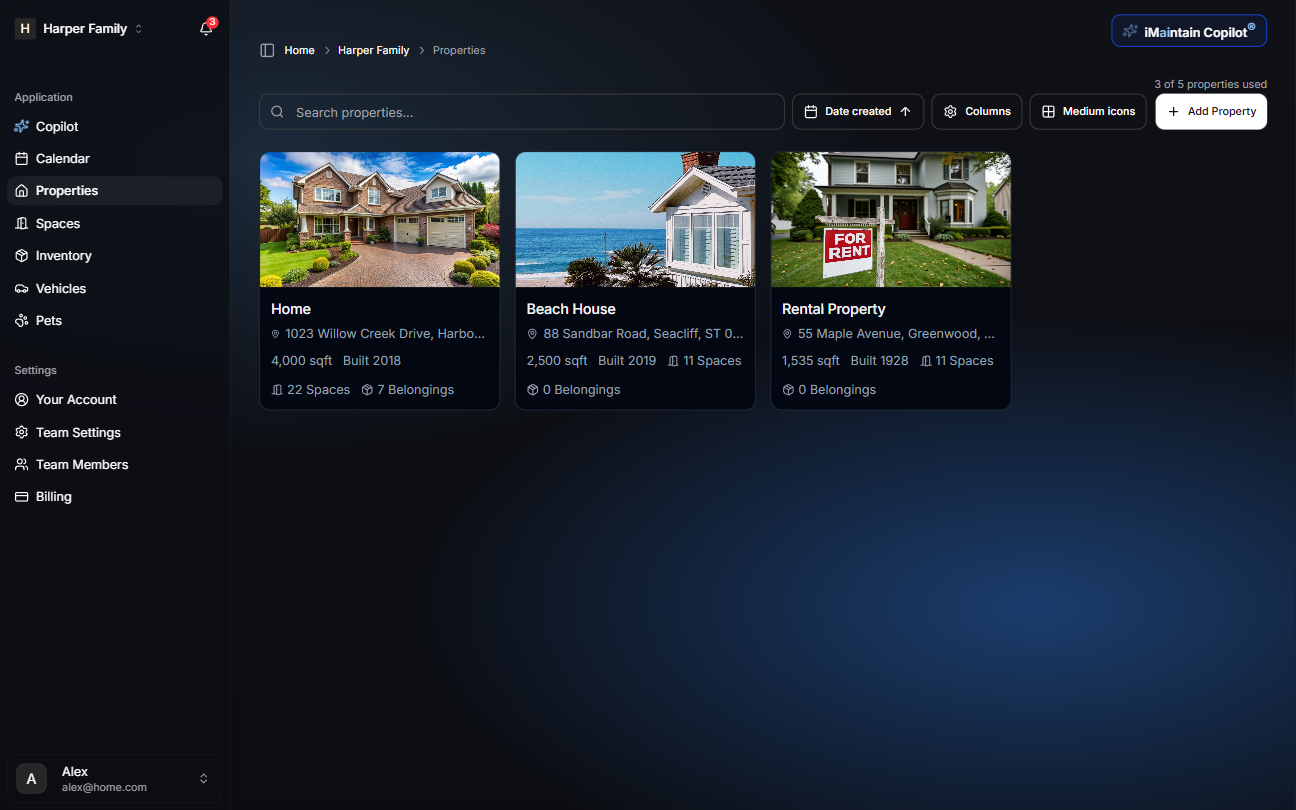
Properties help you keep everything organized by location. Whether you manage one home or multiple properties, iMaintain makes it easy to browse, open a property, and see what’s next—maintenance, files, notes, and related inventory.
View your properties
Open Properties from the left navigation to see your list.
Open a property for details
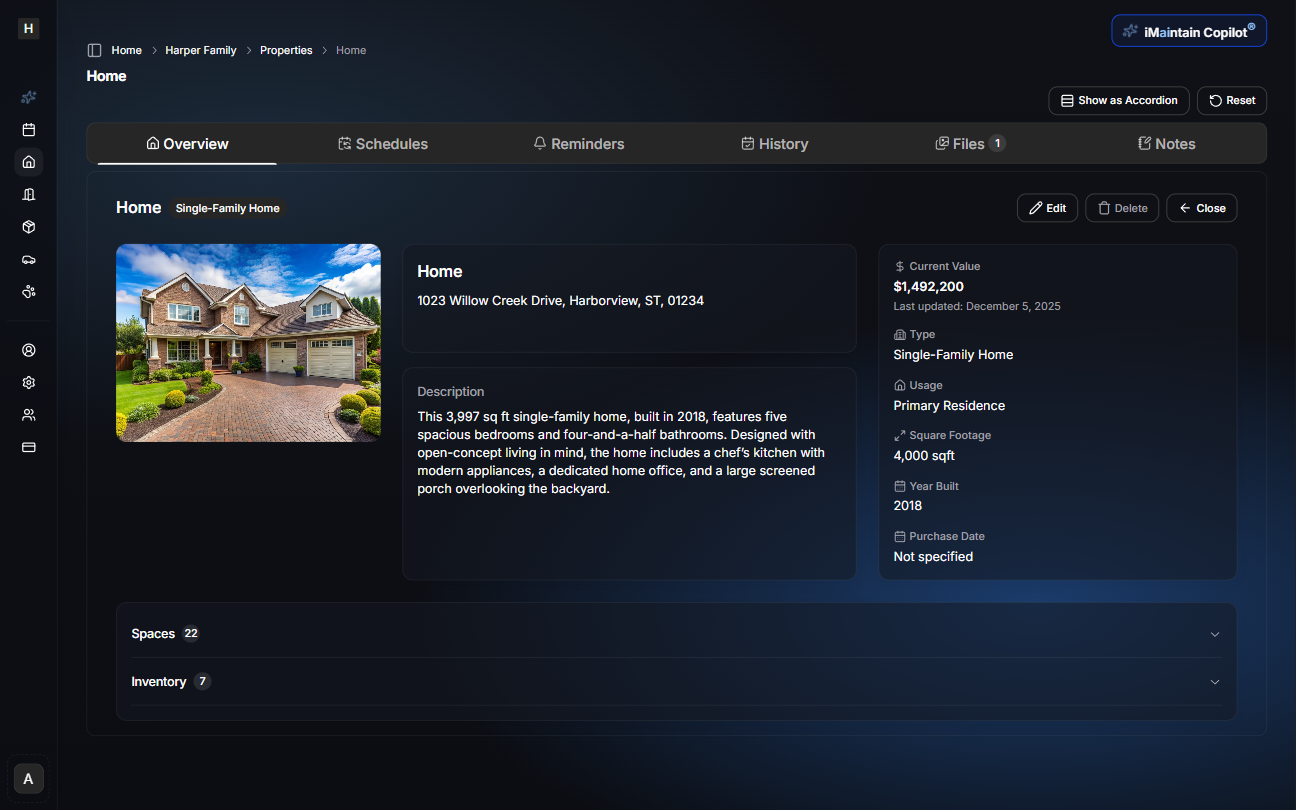
Select a property to open its overview page. This is where you’ll find property details and the tabs for ongoing tracking (schedules, reminders, history, files, and notes).
Rental property workflows
If you manage rentals, use property rental records to keep rental periods, deposits, files, tasks, and financial context tied to the property. This helps separate rental activity from general maintenance while keeping the full property history in one place.