

Copilot for properties
Ask questions, find documents, and generate property-level reports using your property as context.
Overview
iMaintain Copilot can use your property context—spaces, maintenance history, files, and notes—to help you move faster without hunting through tabs.
Use Copilot to:
- summarize what’s due next (and what’s overdue)
- find invoices, inspection reports, and receipts
- generate reports for a property (maintenance, costs, history)
- compare rental property performance across revenue, deposits, tasks, files, and maintenance costs
- capture or retrieve important notes (paint colors, contractor details, measurements)
Example questions (copy/paste)
Maintenance and planning
- What maintenance is coming up for my Home this month?
- What’s overdue at the Beach House?
- Show my maintenance history for the last 12 months for my Rental Property.
- Summarize what we’ve spent on maintenance at my Home this year.
Files and documents
- Show me the last inspection report for my Home.
- Find the invoice from the window cleaning company.
- Do I have any warranty documents attached to my Beach House?
Rentals and reporting
- Which rental property performed best this quarter?
- How much deposit money is currently tracked?
- Which properties have open rental tasks?
- Compare my properties by revenue and maintenance cost.
- Show me properties where deposits were retained.
- Which rentals have files attached?
Notes
- What paint color did we use in the living room?
- Add a note to my Home: “Garage keypad code is 1234.”
- Update the exterior paint note to include the store location.
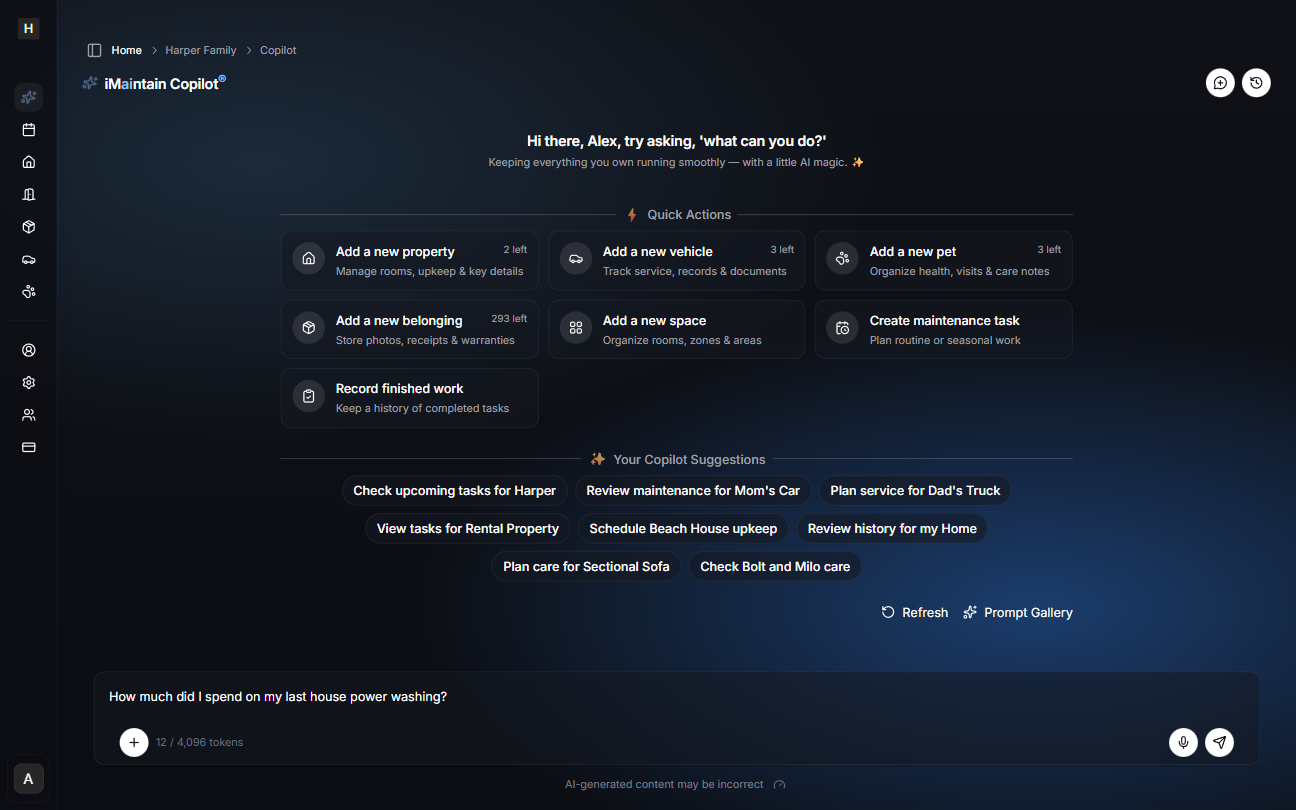
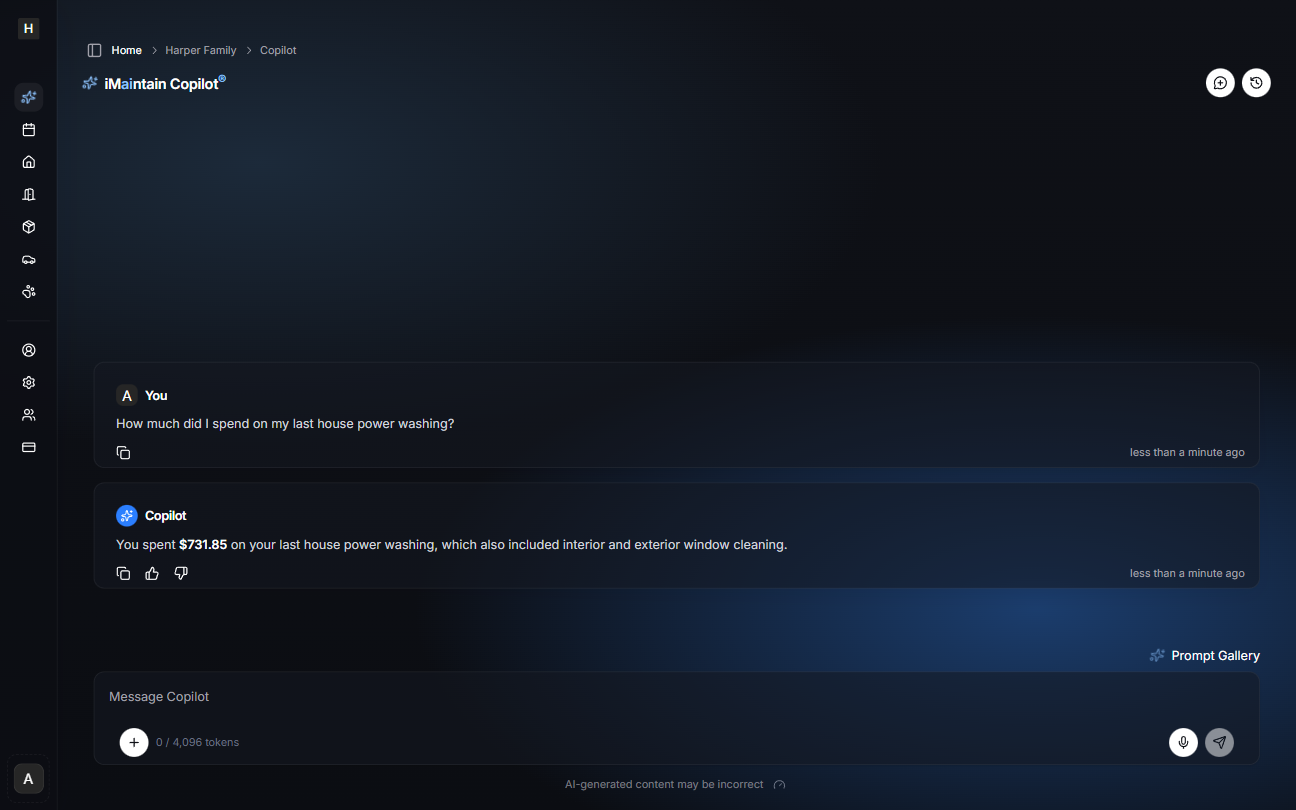
Example: Copilot using property files
Tips for better answers
- Attach key documents (invoices, inspection reports, warranties) to the property.
- Add a few notes for the “stuff you don’t want to forget”.
- Use spaces so questions like “what’s due in the garage?” work well.
- For rental questions, keep rental periods, deposits, files, tasks, and maintenance costs up to date.