


For Turo hosts & fleet operators
Know which cars actually make money
The cost of poor maintenance
Every Turo host knows: breakdowns kill revenue
It is not a lack of care. It is a lack of a system for staying ahead of what each vehicle needs.
A fleet can look busy and booked while quietly losing money. Breakdowns, last‑minute cancellations, and reactive repairs usually show up three ways: cars you cannot run, reviews you cannot afford, and repair bills that eat the margin.
- Bookings lost when a car goes down mid‑season.
- Emergency repairs that cost 2–3× a planned service.
- Future demand hit by one bad, preventable review.
$2,000
Lost booking revenue
A single unexpected breakdown can wipe out weeks of income in canceled trips and refunds.
$1,500
Emergency repair cost
Reactive repairs cost 2–3× more than planned maintenance. Missed oil changes become engine failures.
-10%
Future booking impact
A poor review from a maintenance-related issue drops your visibility and future booking rate.
See it in action
A quick walkthrough for Turo hosts
How setup works
From reactive scrambling to predictive confidence
Start with one vehicle. Build a system that scales to your whole fleet without starting over.
Add each car to your fleet
Upload a registration photo and AI prefills make, model, year, and mileage. Your fleet is set up in minutes, not hours.
AI builds your maintenance schedule
Time- and mileage-based alerts for oil changes, tire rotations, brake inspections, and more — tailored to each vehicle automatically.
Track every rental and service
Log each trip with guest, dates, source, odometer readings, revenue details, files, and follow-up tasks.
See which cars are profitable
Compare revenue, maintenance cost, operating profit, mileage, rental days, and task/file counts across the fleet.
The record grows more valuable with every service you log.
Features
Built for operators who depend on their vehicles
Trip & booking management
Track each rental with guest, dates, pickup and return details, odometer readings, booking source, reservation ID, and notes.
Real profitability, not just revenue
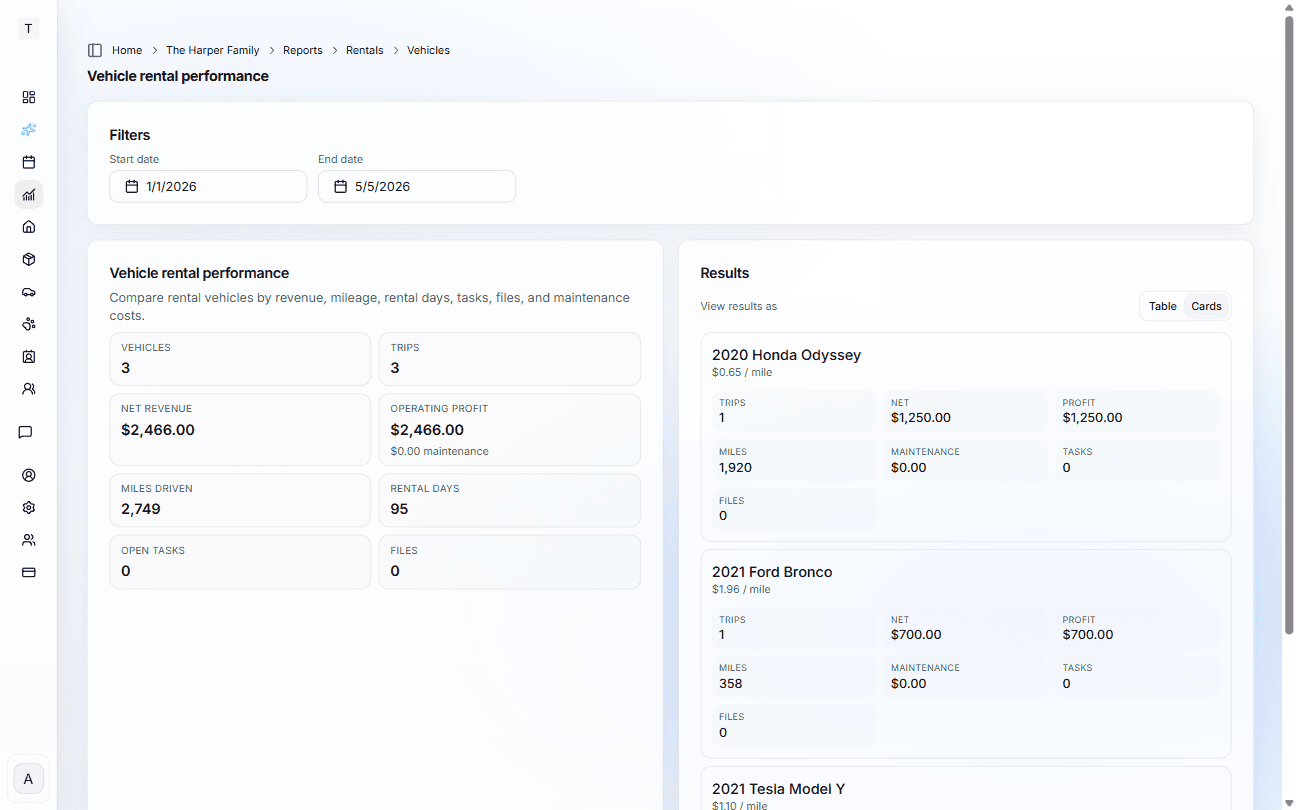
Compare gross revenue, net revenue, maintenance costs, operating profit, rental days, and revenue per mile by vehicle.
Rental tasks and files
Keep prep tasks, damage follow-up, trip photos, receipts, and documents tied to the rental that created them.
Full service history
Complete repair and maintenance timeline for each vehicle. Receipts, invoices, and service notes attached.
Copilot rental reporting
"Which car is least profitable this quarter?" Ask questions across trips, revenue, maintenance costs, tasks, and files.
Fleet performance reports
See which vehicles earn, which ones cost, and where maintenance is eating into the margin.
Public message forms
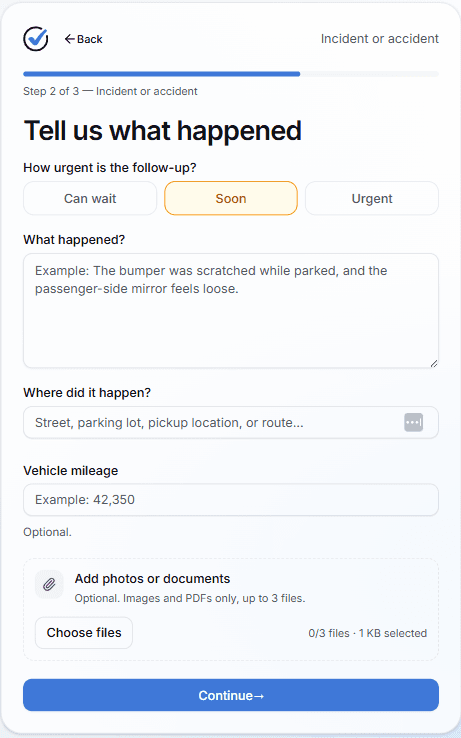
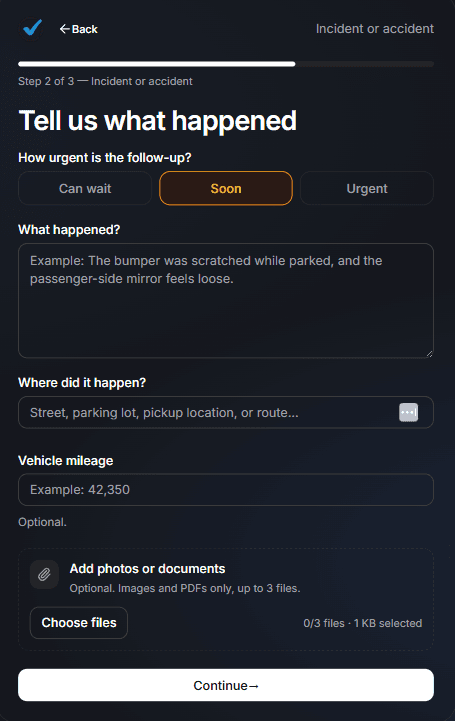
Let guests report issues the moment they happen
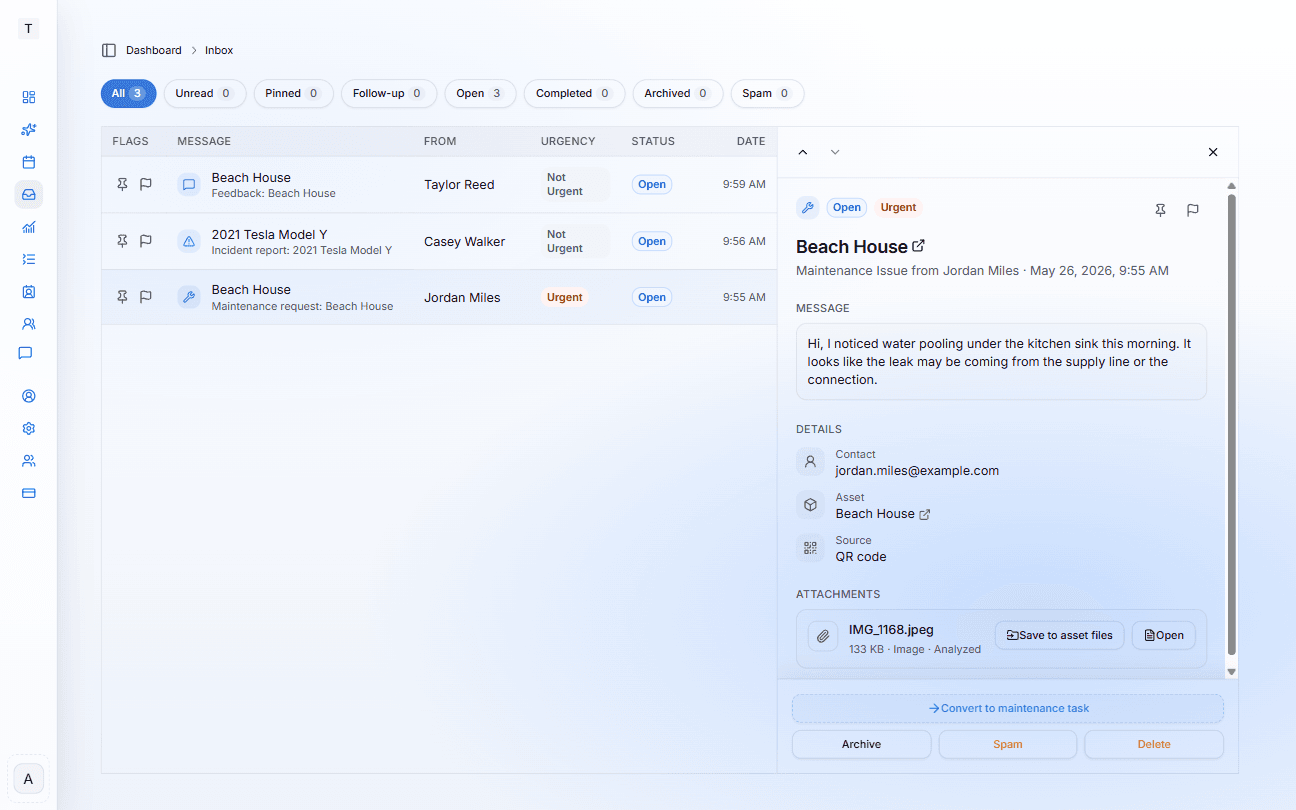
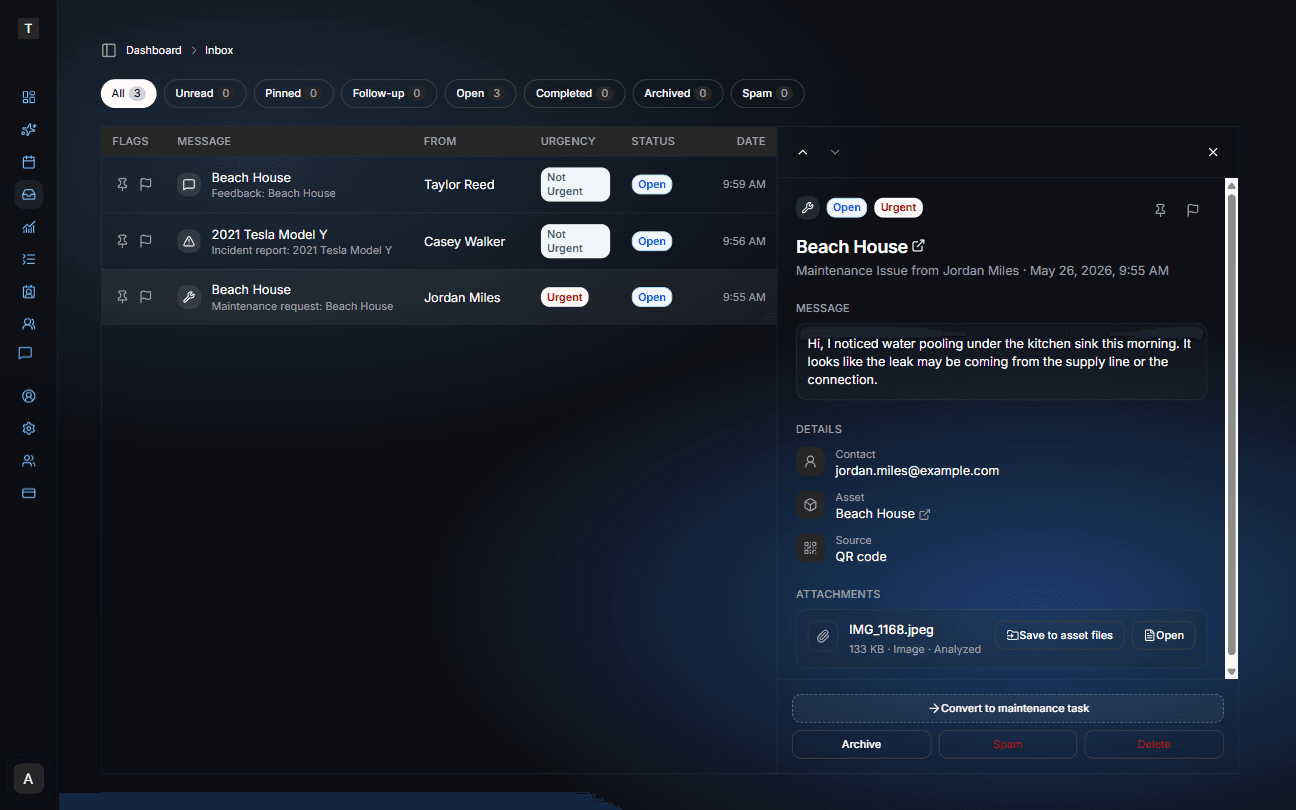
Attach a QR code to each vehicle and guests can scan it to send you a message on the spot — before the trip ends, while the detail is still fresh. No hunting for a phone number, no awkward texts. They choose the message type (maintenance issue, incident, or feedback and review), describe what happened, and attach up to three photos directly from their phone. The message arrives in your iMaintain Inbox linked to that vehicle, with urgency flagged and attachments ready to review.
From the Inbox you can save photos to the vehicle's file library, convert the issue into a maintenance task, and keep a complete record of what happened and when — all tied to the trip it came from.
You can also forward contractor invoices and service receipts directly to your Inbox by email — everything lands in one place regardless of how it was sent.
Guests report it. You receive it. It goes straight into the vehicle's record.
Email forwarding
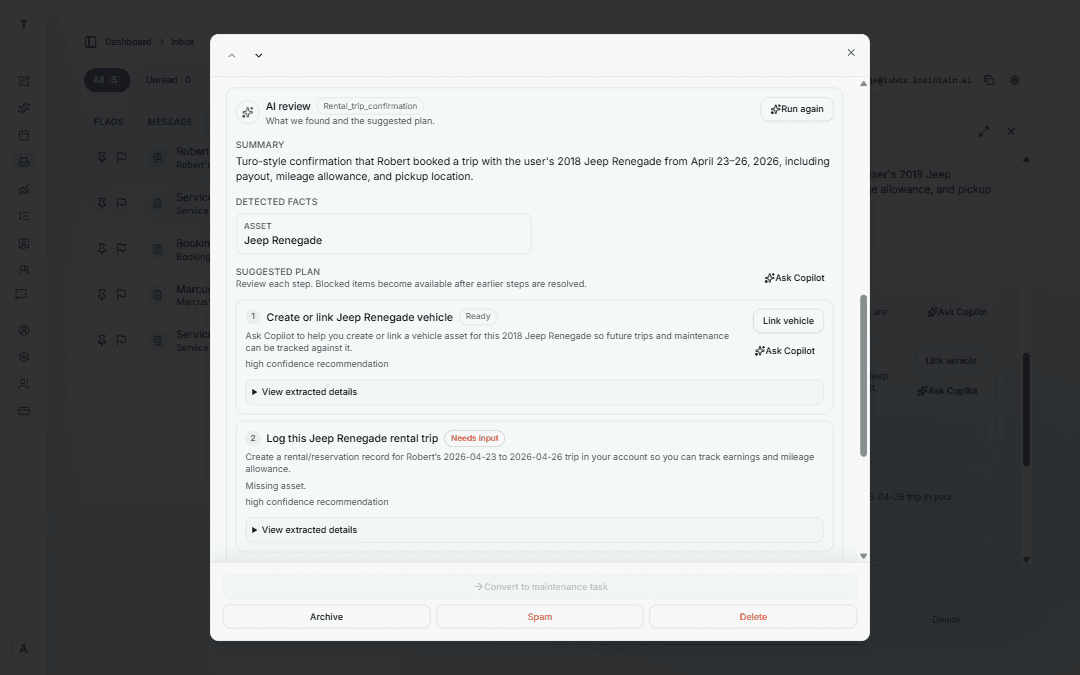
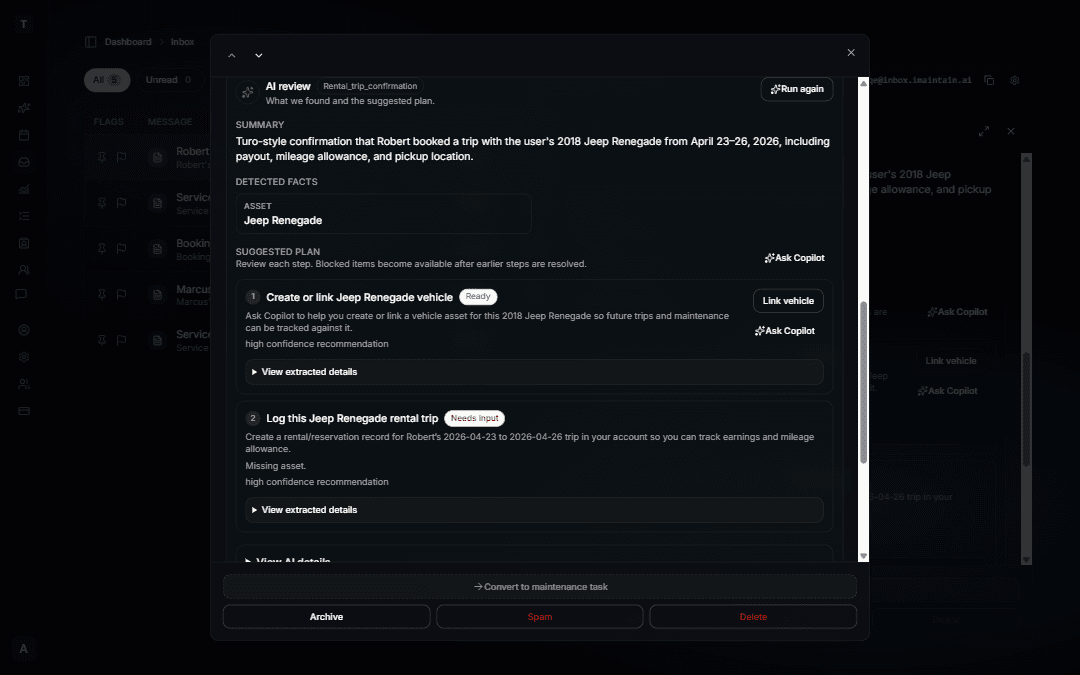
Forward Turo confirmations — trips ready to review
When a Turo trip confirmation arrives in your Inbox, iMaintain reads the reservation ID, guest, dates, and earnings — then suggests the steps to link the vehicle and add the trip. You review the prefilled trip and confirm. No retyping from the booking email.
Re-forward the same confirmation and iMaintain matches by reservation ID to update or confirm without duplicating the trip. Cancel emails follow the same path — review and confirm the cancellation on the vehicle's Rentals tab.
Nothing saves automatically. You stay in control of every step.
What it looks like
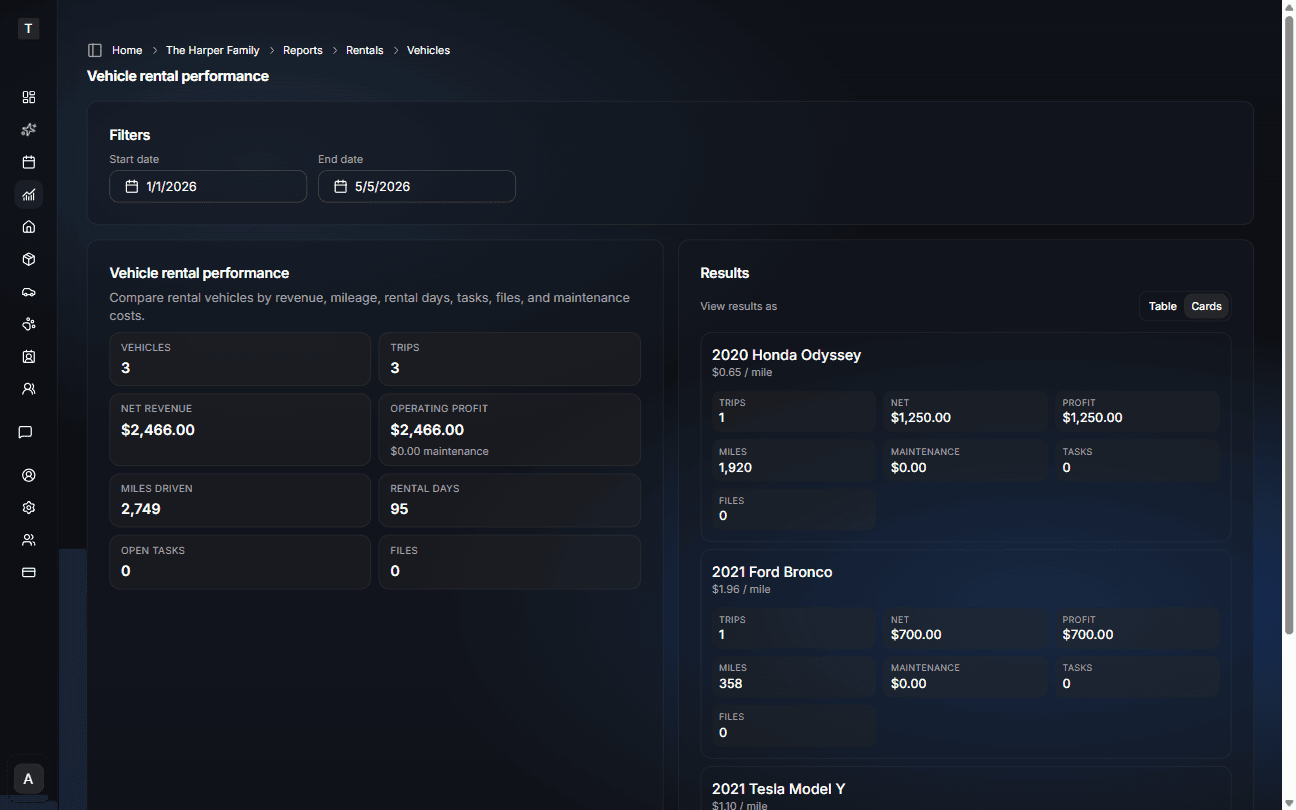
Fleet performance without another spreadsheet
Revenue and costs by vehicle — updated each time you log a trip or service.
Vehicle timeline
Every trip and service record makes the next decision easier
Track trips, mileage, inspections, repairs, files, and costs in one vehicle history so you can see what changed and why profitability moved.
Nov 2025
Brake pads replaced
Peak Auto · $420 · 28,840 miles
Jan 2026
Airport trip completed
Turo · 312 miles · $486 net revenue
Feb 2026
Post-trip inspection photos
Exterior, wheels, interior · files attached
Mar 2026
Tire rotation and brake check
Peak Auto · $185 · 34,920 miles
Apr 2026
Spring break booking
Turo · 386 miles · $540 gross
Apr 2026
Long weekend booking
Turo · 471 miles · $612 gross
Apr 2026
Cleaning and trim follow-up
Task created · $60 cleaning · photos attached
May 2026
Oil change completed
QuickLube · $92 · service interval reset
Spot mileage patterns
Two high-mileage trips in April pushed the vehicle close to its next service interval.
Protect booking revenue
Inspection photos, cleaning tasks, and repair notes stay tied to the trip that created them.
Understand real profit
Trip revenue looks different once cleaning, repairs, platform fees, and maintenance are included.
Answer questions quickly
When was the last oil change? Which trip added the most miles? The record is already there.
Ask Copilot
Ask your fleet anything. Get instant answers.
No more digging through spreadsheets or trying to remember which car had the brake job. Just ask.
Which car needs service most urgently?
2023 Honda Civic is 400 miles overdue for an oil change. The 2024 Tesla Model 3 has a tire rotation due in 80 miles.
How much did the Tesla actually make this month?
$4,820 net revenue across 12 trips. Maintenance costs were $880, leaving $3,940 operating profit.
Show me the inspection report for the BMW
Found: February 2026 inspection by Peak Auto. Report and photos attached. No structural issues noted.
Which car is least profitable this quarter?
2021 Toyota Camry: $1,880 operating profit. It earned well, but brakes and cleaning costs pulled down the margin.
RECOMMENDED PLAN
Built for fleet operators — Business plan
The right plan for trip tracking, mileage-aware maintenance, real profitability, and team access across your fleet — starting at $49/mo.
Business
Starting point — scale with add-ons as your fleet grows.
- Up to 5 users (owner, office, crew)
- 10 vehicles, 10 properties, 1,000 assets to start
- Multiple teams — separate fleet, office, and owner views
- Task assignment with notifications
- Role-based permissions
- Full Copilot access
- Priority support
Add-ons scale with your fleet
If the Business defaults are not enough — more vehicles, more storage, more team members — add-ons let you expand exactly what you need without moving to a different plan.
Solo hosts with 1–2 vehicles
The Essential plan at $9/mo covers up to 2 vehicles with full iMaintain features. Start there and upgrade as your fleet grows.
14-day free trial
Start with a 14-day free trial on the Essential plan — no credit card required. Add your vehicles, trips, and service records, then upgrade to Business when you are ready.
Why Turo hosts choose iMaintain
Most fleet tools were not built for Turo hosts
Most fleet tools
Turo shows bookings and revenue, but not your full maintenance story
Spreadsheets track costs until receipts, tasks, and photos drift elsewhere
Maintenance reminders depend on manual mileage updates and memory
Profitability is hard to see once repairs, cleaning, and damage follow-up are included
iMaintain
Complete trip tracking with guest, mileage, revenue, tasks, files, and notes
Actual profitability by vehicle after maintenance costs and rental-linked work
Mileage-aware maintenance history tied to the cars that generate revenue
Copilot answers questions across rental reports, tasks, and vehicle records
FAQ
Frequently asked questions
What if I only have 3 Turo cars right now?+
Start on the Plus plan at $19/mo — it covers up to 5 vehicles with full iMaintain features. When your fleet grows beyond 5 cars or you need team access, upgrade to the Business plan at $49/mo for up to 10 vehicles and multi-user reporting.
Can I track my personal vehicles too?+
Yes. Every vehicle in iMaintain is tracked the same way whether it is a rental, a personal car, or both. Your Turo fleet and your own cars all live in one place.
What if I have 1 or 2 vehicles?+
Our standard Essential plan at $9/mo covers up to 2 vehicles and includes full iMaintain features. When your fleet grows past 2 cars, move to the Plus plan at $19/mo for up to 5 vehicles — then upgrade to Business as your fleet and team grow.
What if I have 18 vehicles?+
If you are running a larger fleet like 18 vehicles, the Business plan is still the right foundation. You can extend your vehicle capacity with add-on packages on top of Business so you do not need a separate fleet-only tier.
How does this compare to other fleet tools?+
Most fleet tools are built for trucking or delivery fleets — they track maintenance reactively and have no AI. iMaintain predicts what is coming, works across your whole operation (not just vehicles), and includes a conversational Copilot that answers questions from your own records.
Does this replace Turo's app?+
No. Keep using Turo for bookings, guest communication, and payments. iMaintain adds the operating layer Turo does not provide: maintenance history, trip context, task and file organization, and profitability reporting by vehicle.
Do I have to enter every booking?+
Only if you want rental revenue, mileage, and profitability reporting. If you only need maintenance alerts, you can still update odometer readings and service history without tracking every trip.
Can I switch plans?+
Yes, anytime. Upgrade as your fleet grows, downgrade if you scale back. Your full history, records, and data stay intact regardless of which plan you are on.
Built on trust
Your data stays yours.
Four promises that don't change — no matter how you use iMaintain or how long you stay.
Privacy by default
Records kept secure, never sold or shared with advertisers.
Export anytime
Download your full records as a human-readable ZIP. No lock-in.
AI that doesn't train on you
Copilot uses your data to answer questions. It never trains on it.
Controlled sharing
Role-based access. Invite family or teammates with clear permissions.
Get started
Stop keeping it all in your head
One avoided repair easily pays for years of iMaintain. Start free and let your ownership record build itself from day one.
14-day free trial · No credit card · Export your data anytime