

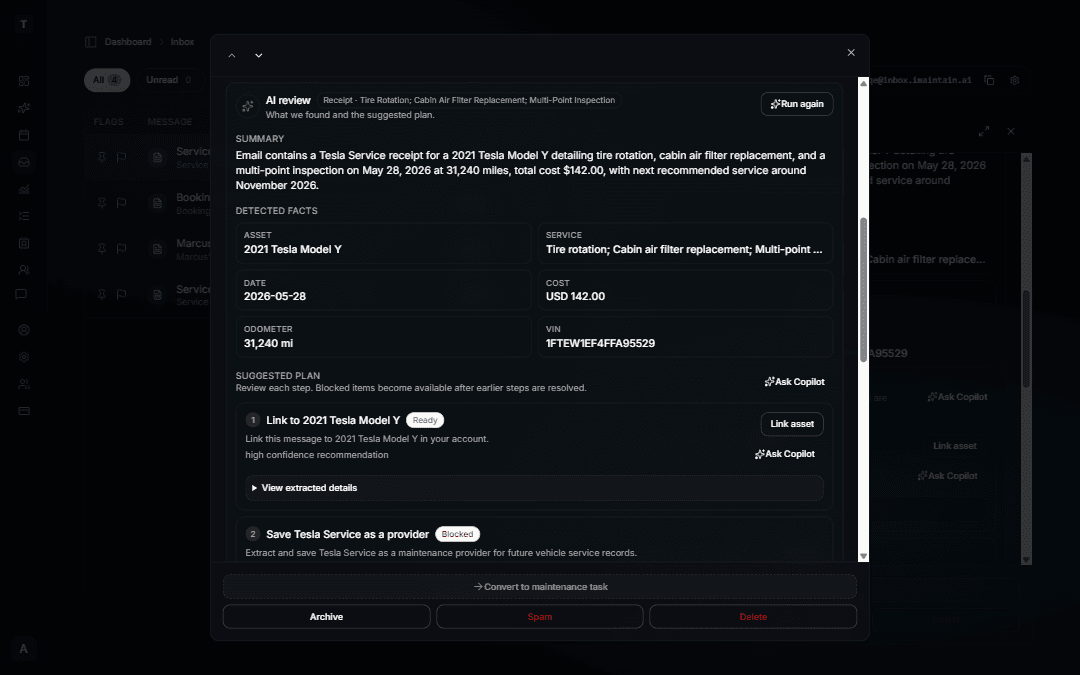
Forward receipts, invoices, and service records directly to your iMaintain Inbox
Every iMaintain account can now generate a personal email address. Forward any asset-related email to that address and it lands in your Inbox for review — alongside messages from public QR forms, all in one place.
Forward receipts from contractors, invoices from service providers, warranty confirmations, Turo trip confirmations, VRBO or Airbnb stay confirmations, or any file you want to save to an asset's record. Nothing is saved automatically. Every forwarded email queues for your review first so you decide what to keep and where it goes.
From the Inbox you can click Run analysis to get a suggested plan — link the right asset, log maintenance, set a reminder, or add a rental trip or property stay. You can also save attachments directly to the relevant asset's file library and let Copilot analyze what was sent.
To get started, go to your Inbox and click Create email address.
See also: Inbox AI review and suggested plans · How AI review and suggested plans work