

Forward an email — get a suggested plan, not a pile of retyping
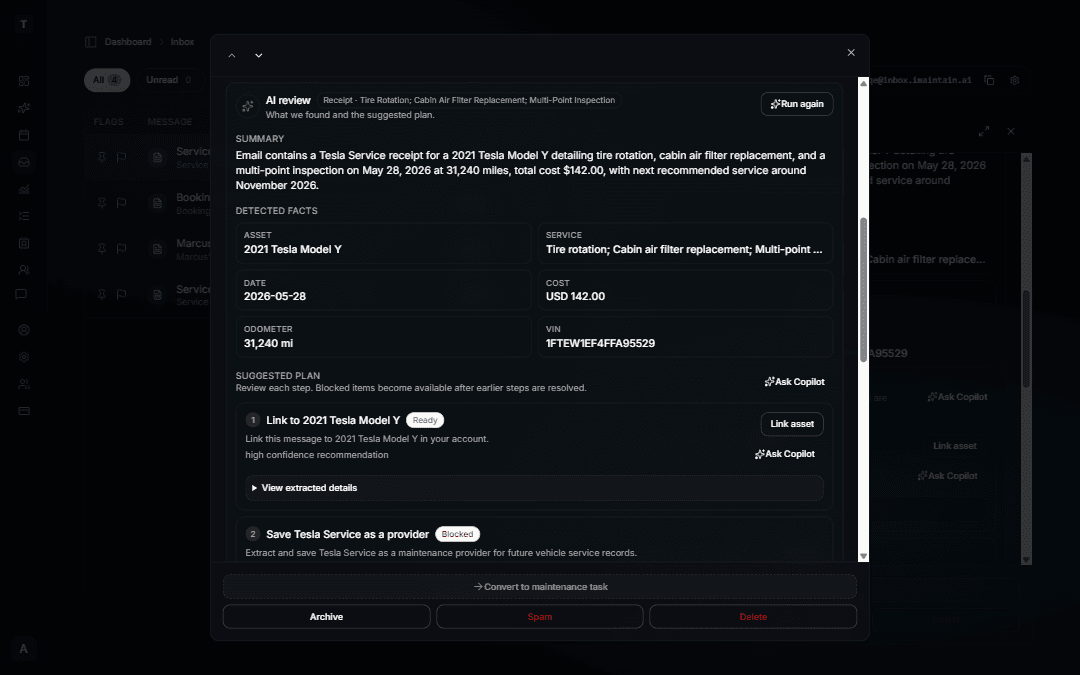
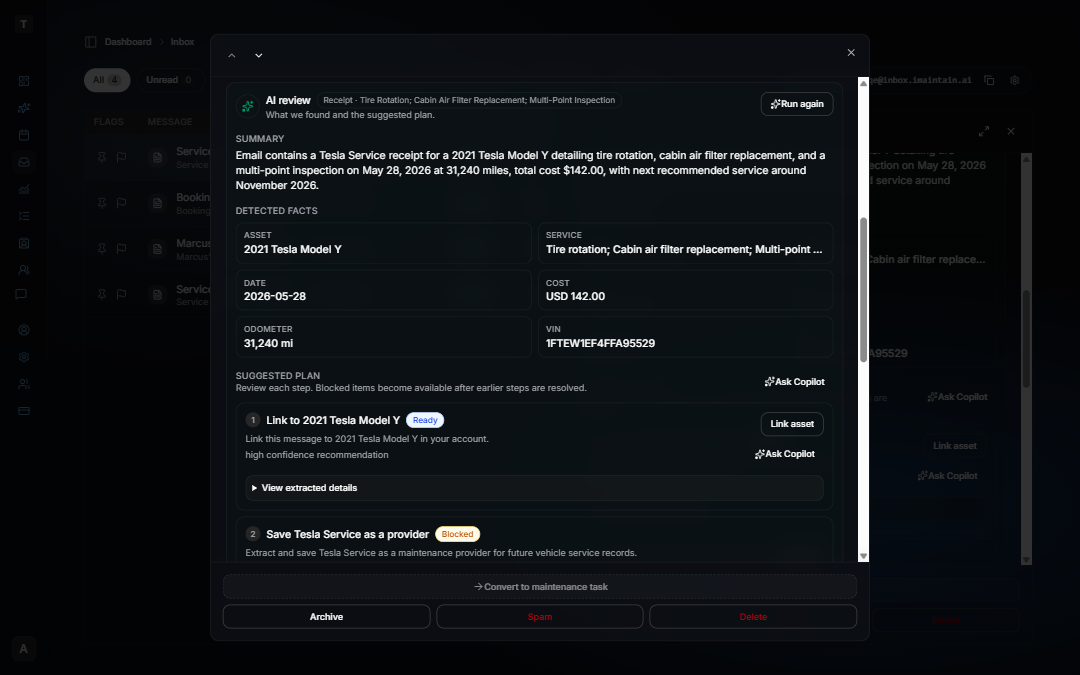
Inbox now goes beyond triage. When you forward a receipt, service record, Turo trip confirmation, or property booking email, click Run analysis and iMaintain reads the message, summarizes what it found, and lays out a numbered suggested plan — link the right asset, log maintenance, set a reminder, or add a rental trip or property stay.
Nothing saves automatically. Each step waits for your review. You confirm before anything is written to your vehicle, property, or maintenance history.
What you can do from a suggested plan
- Link to the right asset — vehicles, properties, pets, and belongings; pick from matches when more than one fits.
- Log maintenance from a receipt — service date, cost, and vendor details prefilled from the email.
- Set reminders — follow-up dates or mileage intervals mentioned in the message.
- Add or update Turo trips — reservation ID, guest, dates, and earnings prefilled on the vehicle Rentals tab.
- Add or update property stays — VRBO, Airbnb, and direct booking confirmations with guest, dates, payout, and reservation ID prefilled.
- Confirm cancellations — review cancel emails for trips and stays without duplicating records.
Re-forward the same booking confirmation and iMaintain matches by reservation ID to update or confirm — not create a duplicate.
See it in action
Learn how it works in the docs: How AI review and suggested plans work →
For Turo hosts: Turo & fleet operations
For landlords and short-term rental operators: Landlords & rental properties