

Overview
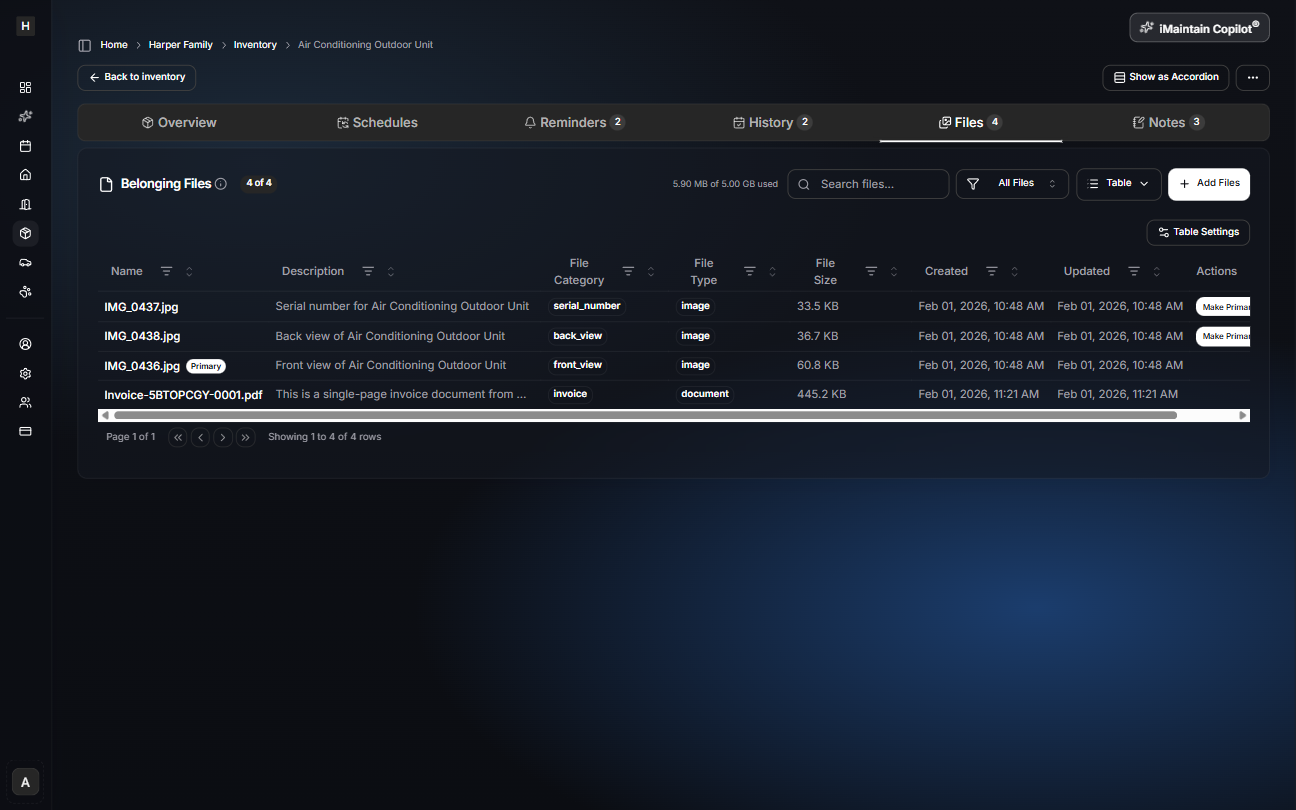
Files are what make an inventory useful long after you add an item. Store everything that supports an item—receipts, owner’s manuals, warranties, inspection reports, and photos—so you don’t have to hunt for paperwork when something breaks, gets replaced, or needs a claim.
What to attach to a belonging
Common examples:
- Purchase receipt or invoice
- Owner’s manual / user guide
- Warranty document or registration
- Installation instructions
- Service record
- Photos (condition, serial plate, before/after)
Why it matters
Keeping files with items helps with:
- Insurance claims
- Warranty support
- Resale listings
- Faster troubleshooting (model/serial always available)
Uploading files
You can upload from desktop or mobile and keep everything attached to the right item.
Copilot can use your files
When you attach receipts, manuals, and photos to a belonging, iMaintain Copilot can use that context to help you:
- find the right document fast (receipt, manual, warranty)
- update item details (like purchase info, model/serial, value)
- set up maintenance schedules and reminders based on what you’ve saved