

Copilot for belongings
Ask questions, generate inventory reports, and research items using your inventory as context.
Overview
iMaintain Copilot works best when your inventory has real context—where items belong, what they are, and the files attached to them. With Belongings, Copilot can help you move faster without digging through tabs, folders, or spreadsheets.
Use Copilot to:
- find items across properties and spaces
- pull up manuals, receipts, and warranty details
- generate inventory reports (lists, summaries, gaps)
- research items (with citations) when you need to troubleshoot, replace, or verify recalls
Example questions (copy/paste)
Find items fast
- What items are in the garage?
- List all appliances in the kitchen.
- Show me everything made by Dyson.
- Which items are marked as disposed?
Documents, receipts, manuals
- Show me the owner’s manual for my refrigerator.
- Where is the receipt for the lawn mower?
- Which items don’t have a receipt or manual attached yet?
Inventory reports
- Create an inventory report for the basement: item name, category, and estimated value.
- List high-value items over $1,000 across all properties.
- Show items missing model number or serial number.
- Summarize my inventory by category (count and total value).
Maintenance and planning
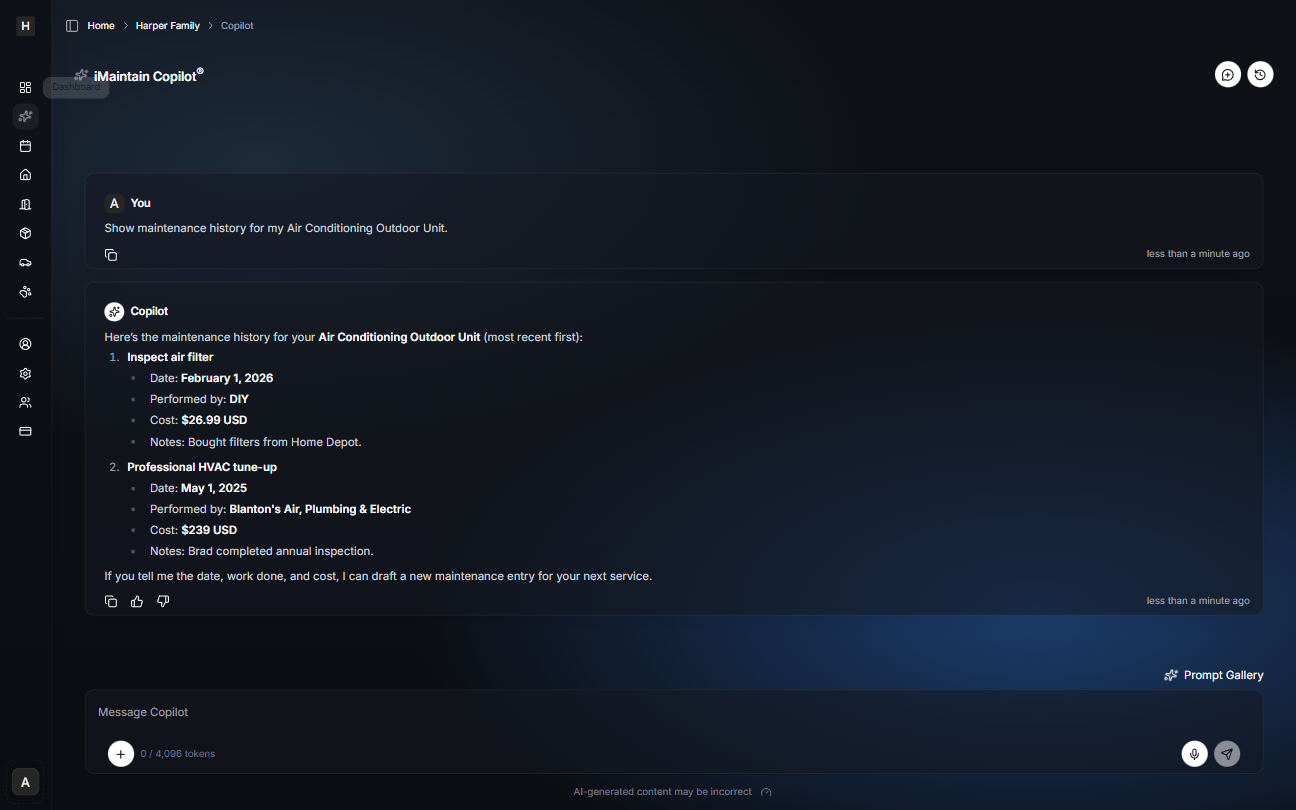
- What maintenance is coming up this month for my belongings?
- Which items have maintenance schedules but no recent history?
- Which items should have a recurring schedule but don’t yet?
Research and troubleshooting (with citations)
- Research common issues for my washer model and suggest what to check first.
- Is there an active recall for my item model number?
- Find the best owner’s manual link for my item and cite the source.
- What replacement part fits my model number?
Tips for better answers
- Add a clear photo of the model/serial label when you can.
- Attach the manual, receipt, or warranty to the item—Copilot can surface what you store.
- Use Spaces (Kitchen, Garage) so questions like “what’s in the garage?” work well.
- When asking for research, include the manufacturer + model number for accurate results.