

Vehicle maintenance
Schedules, reminders, and history for vehicle care.
Overview
Vehicles need recurring care—oil changes, inspections, tire rotations, fluid checks—and it’s easiest when everything stays connected to the vehicle over time.
In iMaintain, vehicle maintenance is organized into:
- Schedules: what you plan to do (recurring or one-time)
- Reminders: notifications before something is due
- History: a record of what was completed (including cost and mileage/engine hours when applicable)
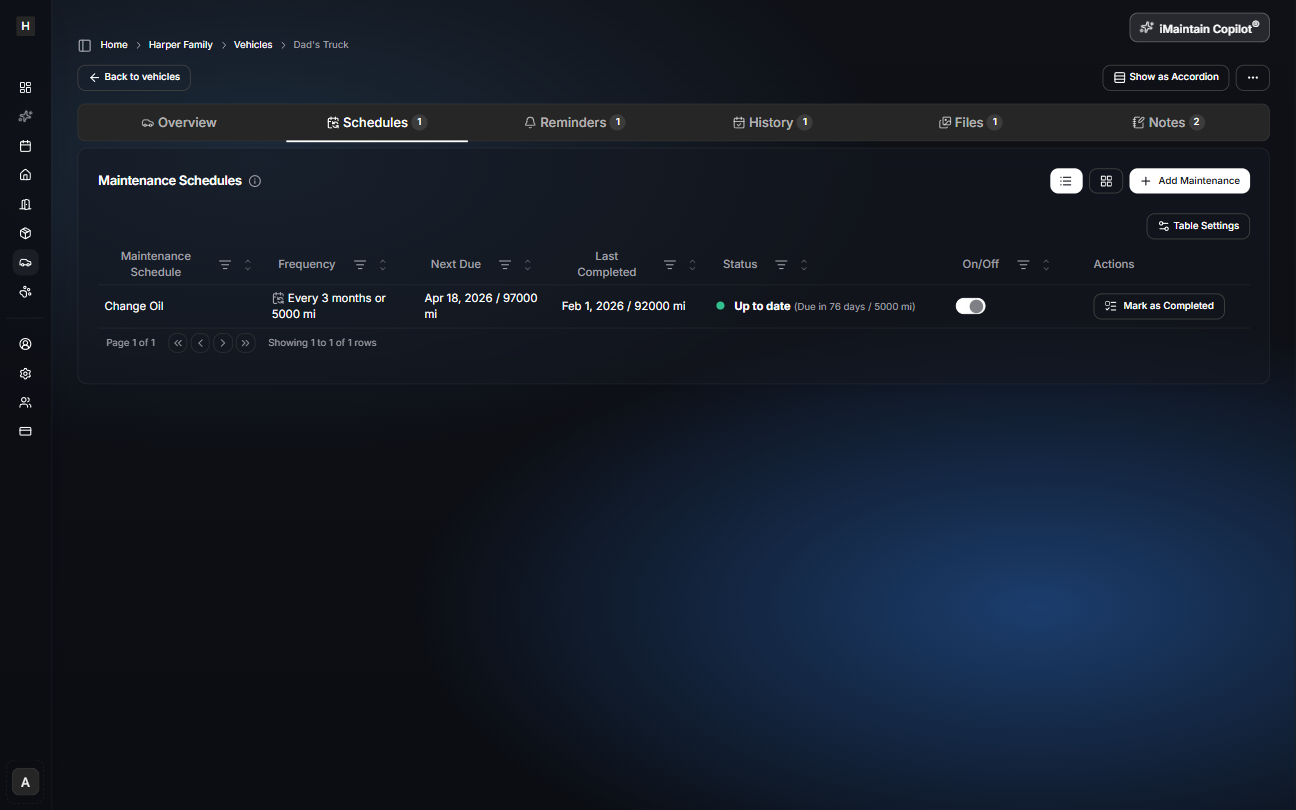
Schedules
Schedules are your plan. Create one-time or recurring tasks and keep them tied to the vehicle.
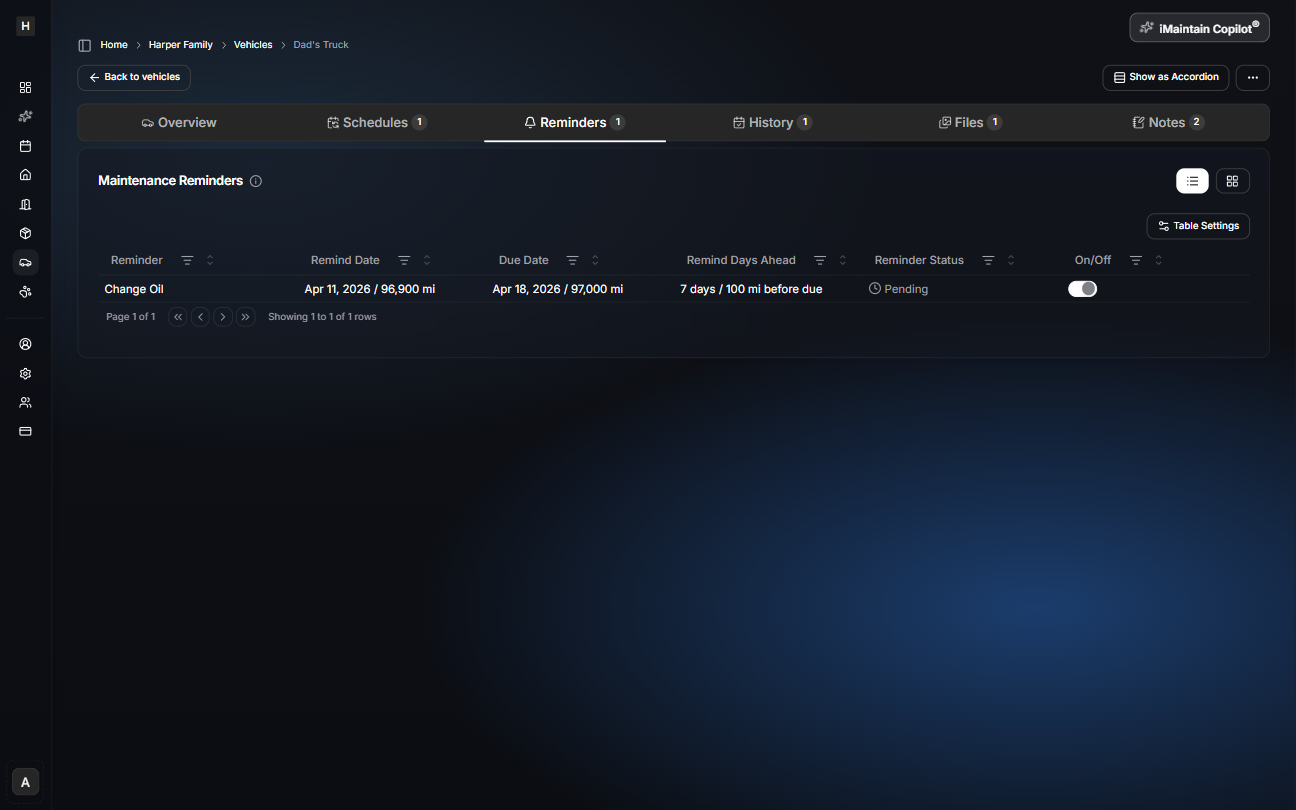
Reminders
Reminders help you remember what’s coming up without constantly checking schedules.
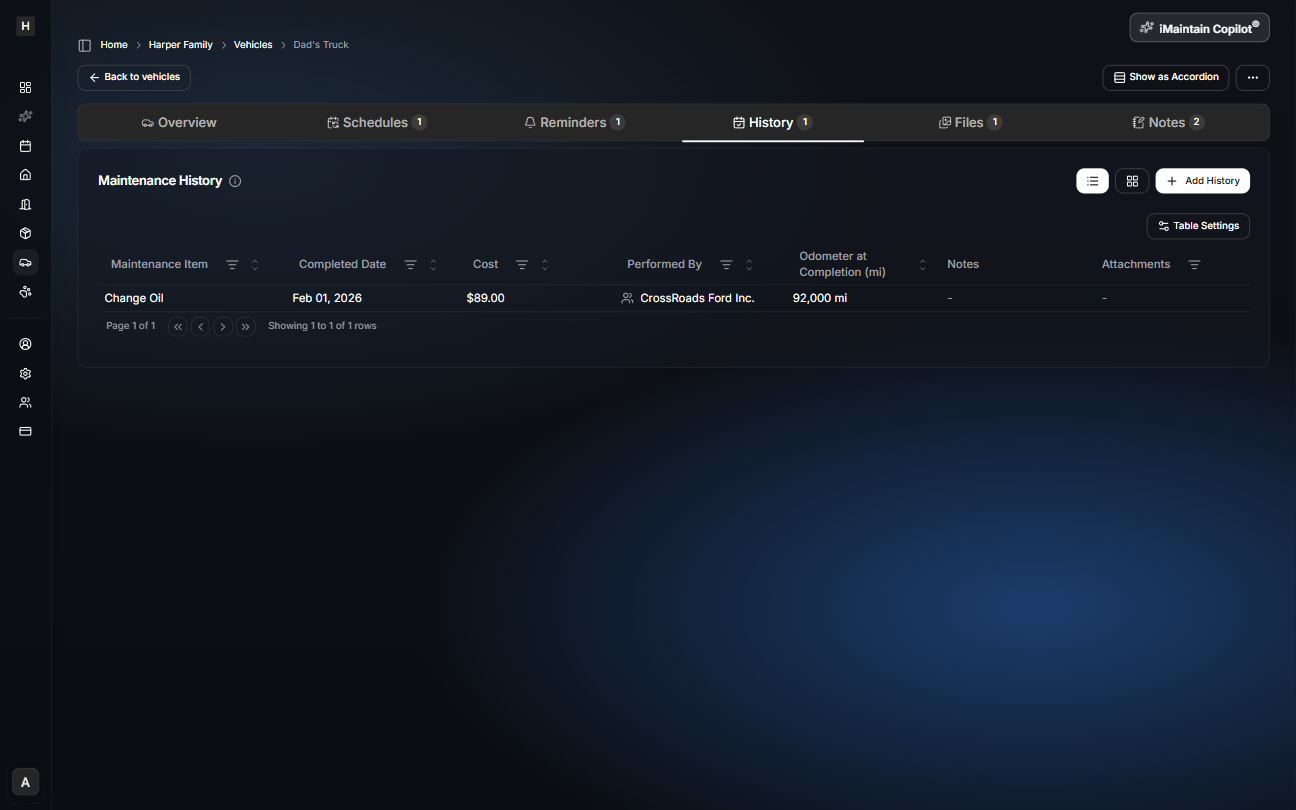
History
History is your record of completed work—useful for resale, troubleshooting, and knowing what was done last (and at what mileage).
Everything rolls up to the calendar
Vehicle schedules and reminders roll up into your calendar so you can view everything due in one place.