

Getting started checklist
Add your first assets and create your first schedules in minutes.
Overview
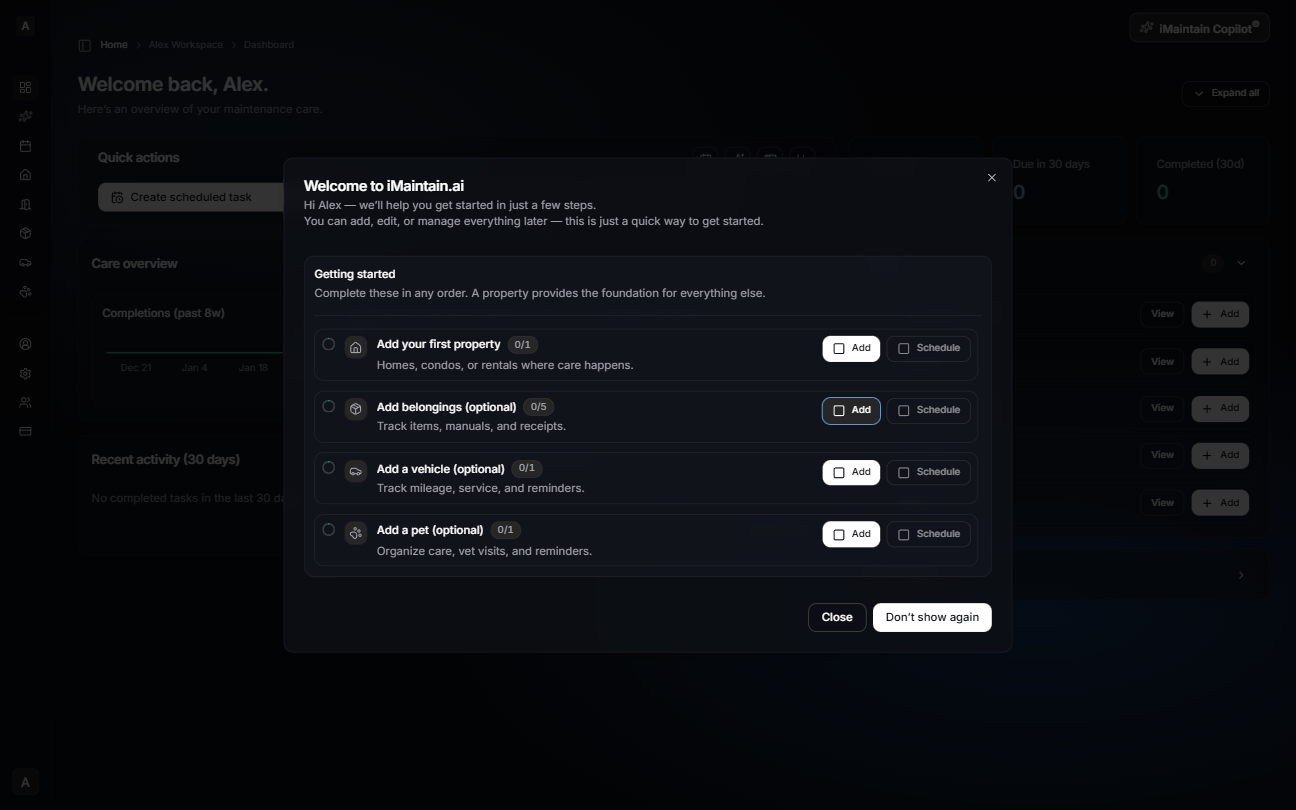
The first time you sign in, iMaintain opens a Getting started checklist on top of your Dashboard. It’s the fastest way to add your first assets and start tracking maintenance — but it’s optional.
What the checklist helps you do
- Add your first property: This is the foundation for organizing spaces, belongings, and maintenance.
- Add belongings (optional): Track items, manuals, and receipts.
- Add a vehicle (optional): Track mileage, service schedules, and reminders.
- Add a pet (optional): Track care, vet visits, and reminders.
Tips
- You can complete these in any order — but starting with a property makes organization easier.
- Use Schedule to create a maintenance schedule right away, then mark it complete later to build history.
- If you close the checklist, you’re still on your Dashboard. You can keep going and add assets from the left navigation at any time.