

Onboarding process
Set up your workspace and pick a plan so you can start tracking right away.
Overview
After you confirm your email, iMaintain walks you through a short onboarding flow to personalize your account and set up your workspace.
Steps
1) Tell us your name
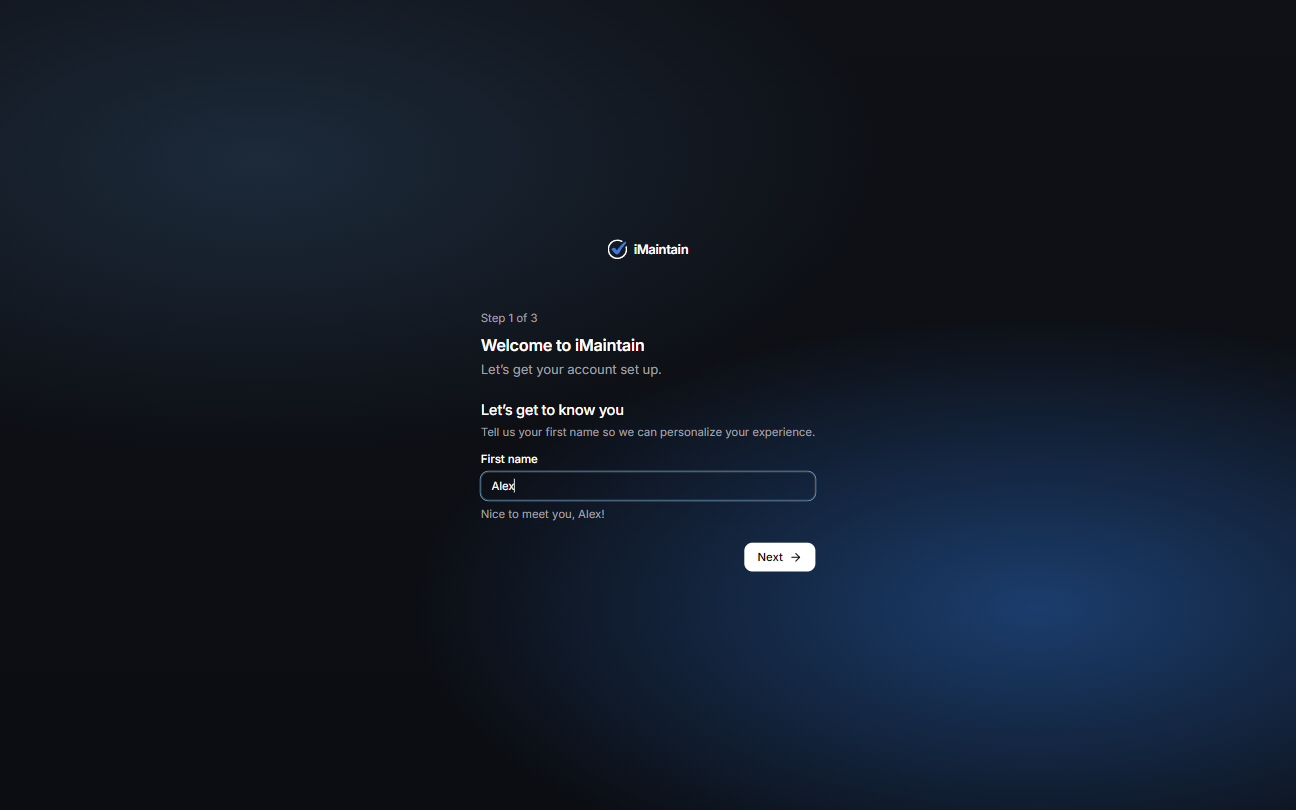
Enter your first name, then select Next.
2) Name your workspace
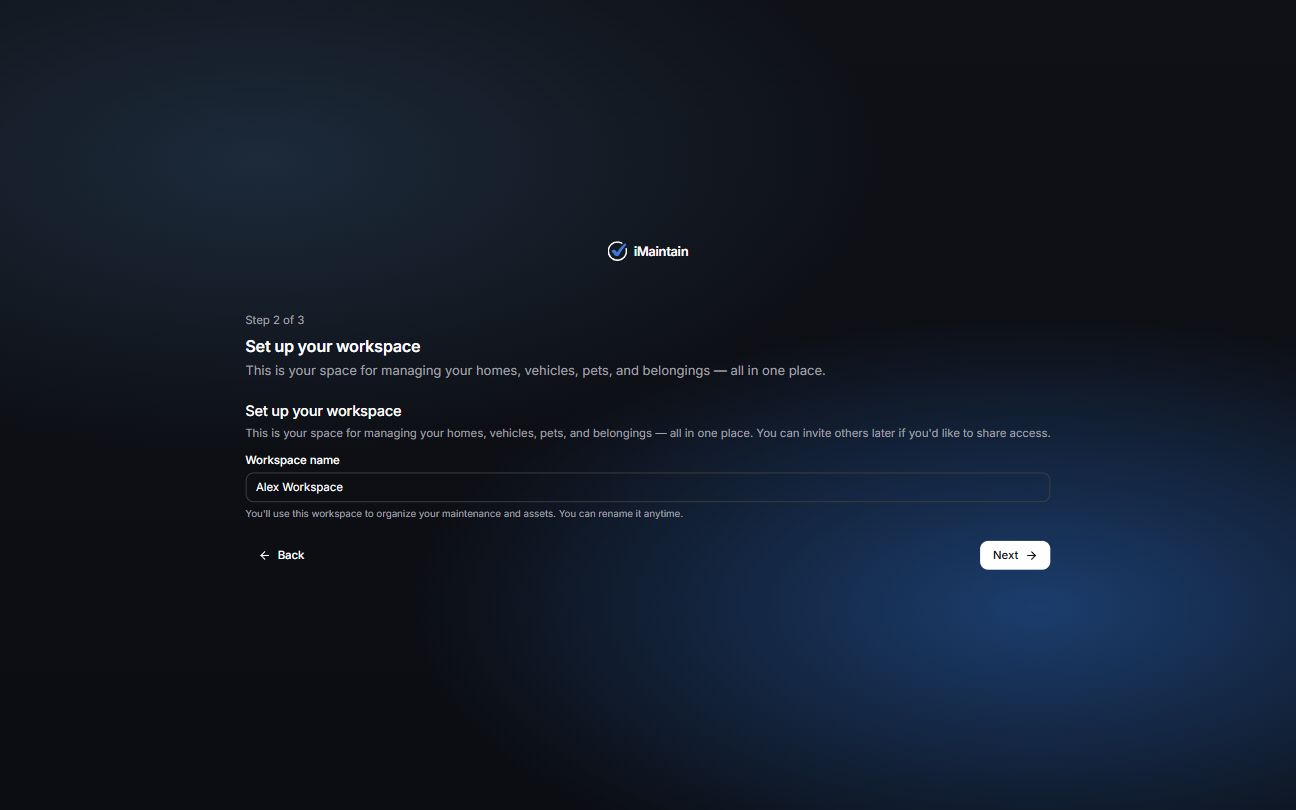
Your workspace is where you’ll manage your properties, spaces, belongings, vehicles, and pets (and everything tied to them).
3) Choose your plan
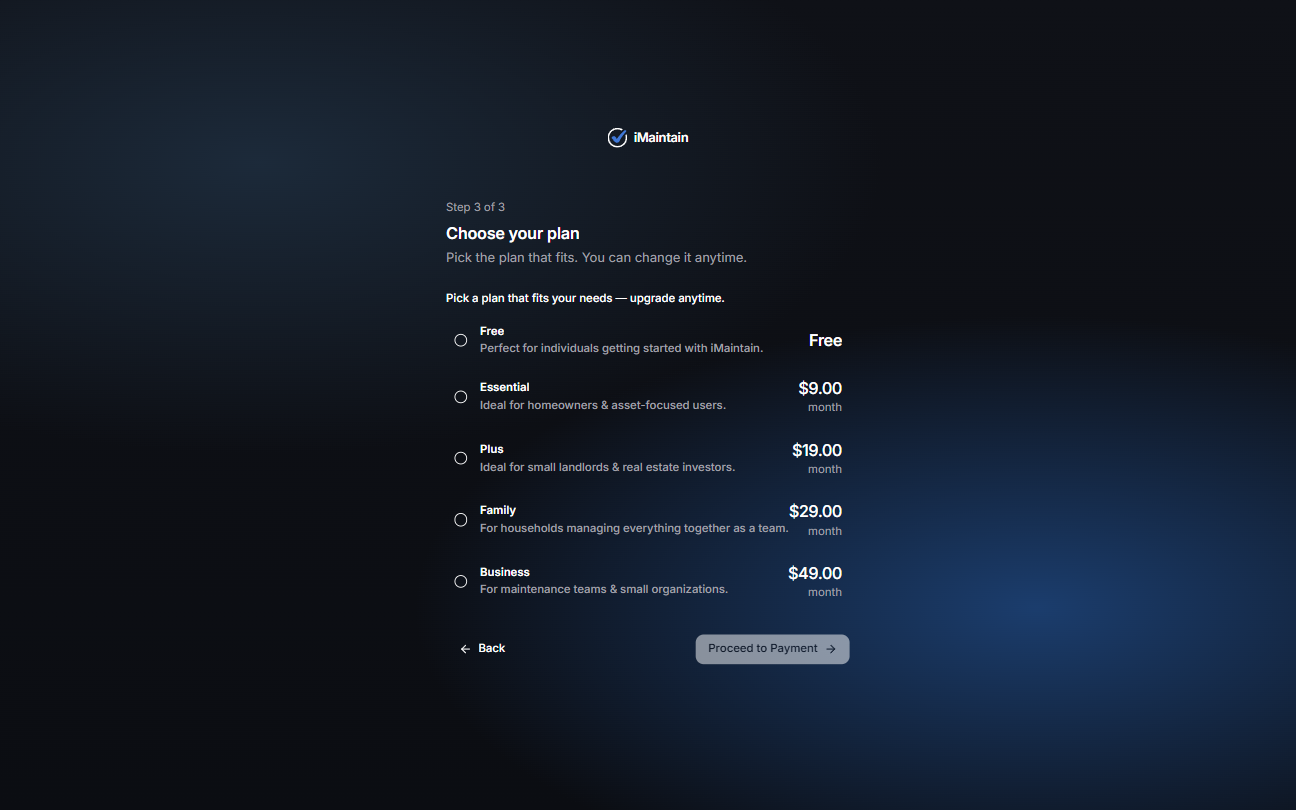
Pick the plan that fits your needs. You can change plans later.
Tips
- If you’re just getting started, choose a plan and keep going — you can adjust later.
- Your workspace name can be changed anytime.